A few months ago, I was prompting Claude about getting into AI for work. That conversation planted a seed that led me to build, what I call, my hype man bot.
Do you understand what I mean when I say hype man?
Coming out of hip hop music, a hype man is a person who supports and energizes a performer or event by engaging the audience, providing vocal support, and maintaining a high level of enthusiasm.
So in this instance, my bot supports me by engaging the audience (the user) while being positive about the subject (me.)
The original idea for this bot was that it would serve as an resume AI.
I envisioned people asking the bot questions in order to learn about my background. And then by leveraging Claude’s LLM’s API, the bot would synthesize responses using the data I have given it about myself.
This sounded awesome, but what else could I do?
Having just started blogging about AI, I figured it could be fun to leverage the content of my writing. So I added a WordPress API connection giving the bot the ability to read and discuss all of the content of everything I have written on Conversating Claude, in real time.
And I also wanted my bot to tell a joke.
Maybe you recall calling Zappos customer support line circa 2012 and having the option to hear a joke. It was part of Zappos’ culture: light, playful, and a little bit silly, among other things. It has always stuck with me. So let’s add the joke.
And finally, understanding that length didn’t matter, I added more specific detail about my professional and life experiences into the dataset. Accordingly, Claude is able to then synthesize a lot more depth of analysis and provide better engagement with the user.
When I started working on this project in January, I had only just begun playing around with bots. In the weeks leading up to it, I had built a few bots with python and chatted with them via terminal, but these projects were nothing close to the scope of the bot I was about to build.
I was excited and so I dove in!
I started with a prompt where I laid out exactly what I was thinking would occur.
The bot would great the user and would guide them in a back and forth engagement where the user would get to learn about my professional experience and my AI projects.
Knowing Claude was very good at distilling ideas and concepts and creating comprehensive plan of execution, I felt confident as I fed it my prompt.
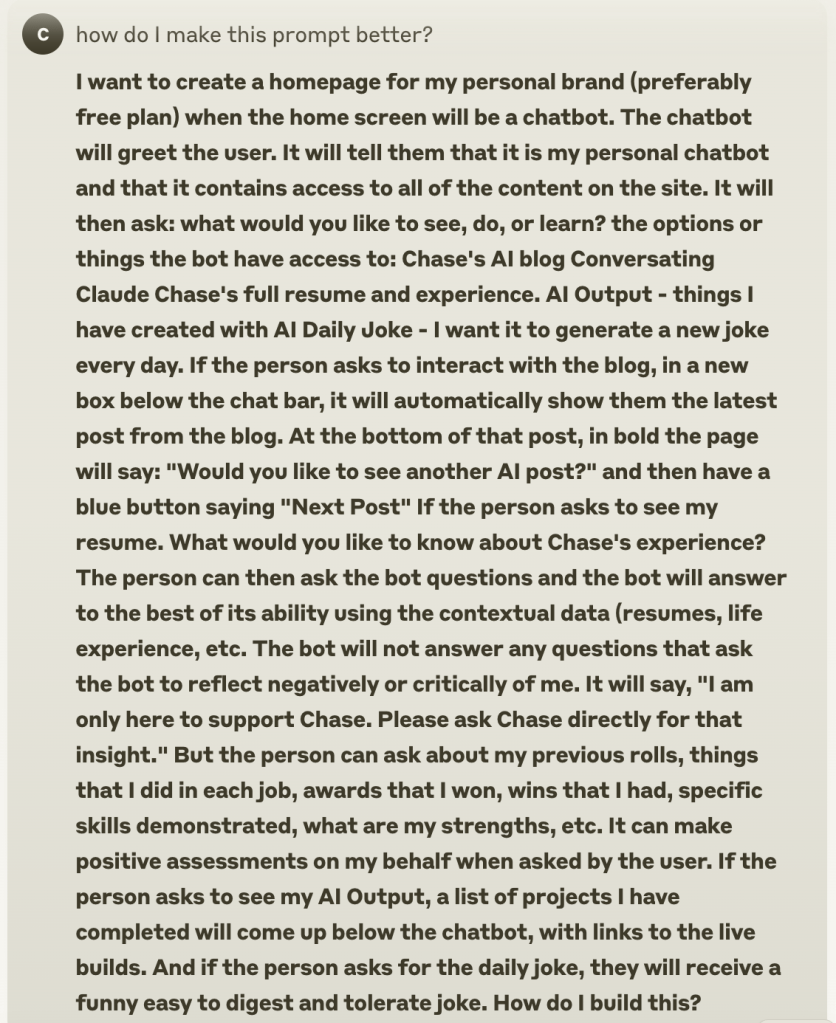
Claude then broke down the prompt, giving it structure and making it more specific, where it felt appropriate.


Everything looks good! What will it take to build this?

This is where I first saw the chat interface.

I was immediately in love . This was my first AI chatbot with a user interface. And I saw endless possibility!
The rest of Claude’s plan:
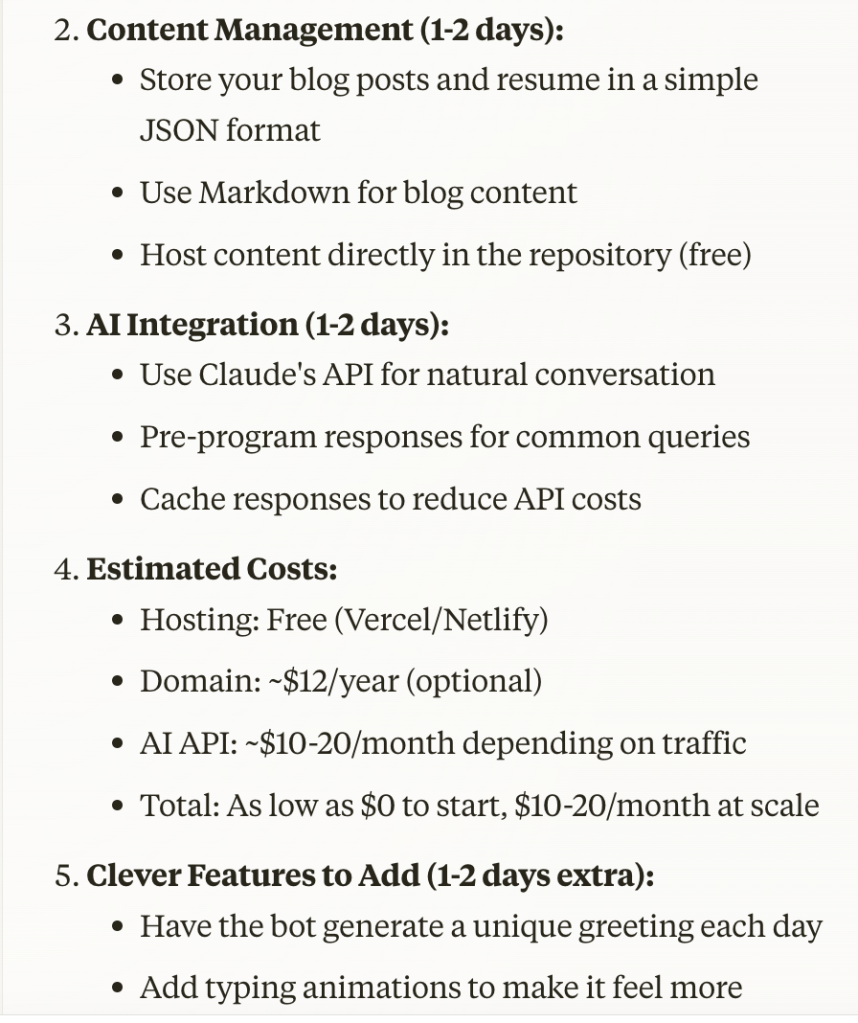

Alight, let’s go! I want to make this.
I asked Claude to take me step by step through the process.


Claude and I then began a back and forth coding, testing, debugging process that would last several weeks of on and off work, as time permitted.
During this time, I arrived at a name for my bot. I wanted to call it Dot.
I was energized by the build and it didn’t take me too long to get Dot up and running. And so I began to ask Dot questions about myself. I wanted to test Dot.
“Tell me about Chase.”
It would return a familiar reply about my professional background.
“Tell me about Chase’s AI projects.”
And Dot would synthesize a descriptive reply with multiple bullet points.
It was really neat to play with!
And hilariously, I blew through my first $10 of API credits in less than a day!
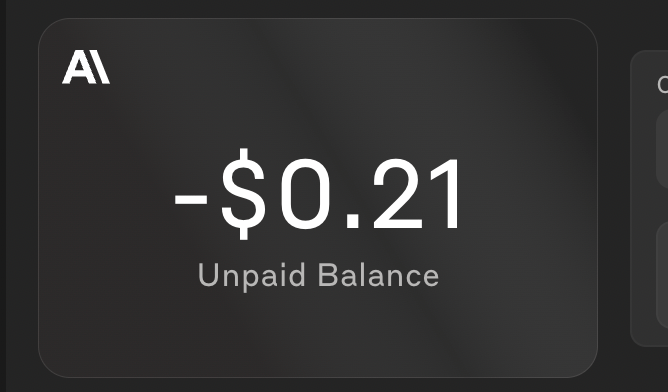
(I gained my first understanding of tokens and the option of leveraging less expensive models in that moment.)
After a quick refresh on credits, I started tuning the bot from there: adding data, removing unutilized features, altering Dot’s system instructions, etc.
It was really neat to see Dot synthesize my data and deliver it back to me as the user. The UX was really on point!
There was one problem. The bot would be typing and then it would
[waiting]
[waiting]
[waiting]
It would hang up mid sentence on some of the longer responses.
I tried many things to fix this, but the bug had me hung up for several days.
And then I got sick — I was down for almost a week.
During that week, Anthropic made two product announcements and included a third product upgrade.
- Claude Sonnet 3.7
- Claude Code
- Added github file sync to Claude Projects
Claude Sonnet 3.7 made leaps and bounds improvements in Claude’s ability to code. Sonnet 3.7’s engineering benchmark scores are the highest in the space right now, by a considerable margin.

So of course, when Sonnet 3.7 came out last week, I wanted to see how the new model would evaluate my Sonnet 3.5 written code.
Leveraging Claude’s new github sync feature, I synced my app files and prompted Claude to review the code.

Claude then proceeded to give me a laundry list of improvement opportunities.
I was intrigued, so I read on:
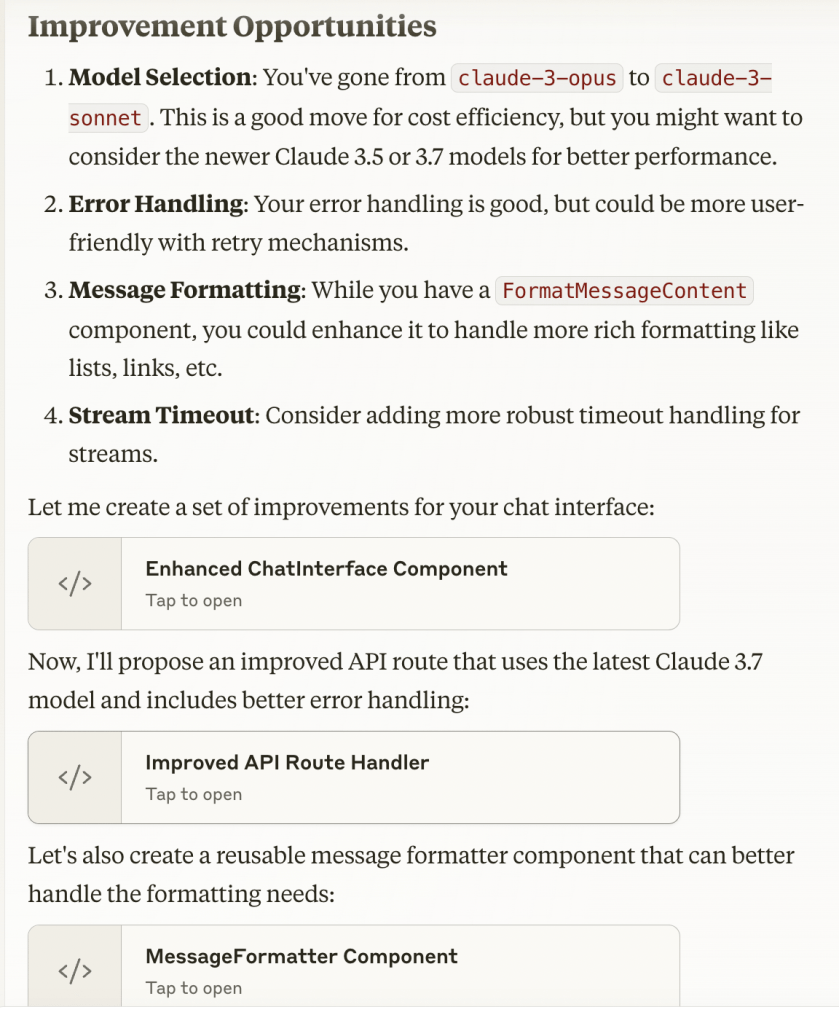
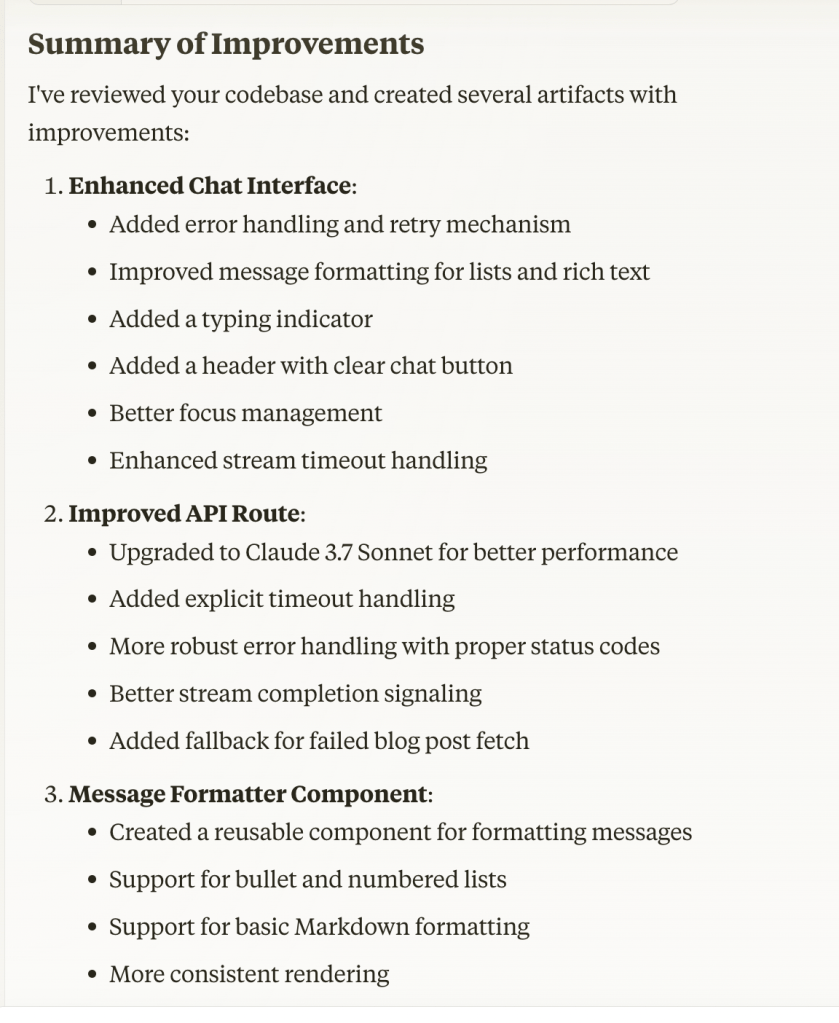
- Better focus management of the chatbot
- Upgrading the API to Claude 3.7 Sonnet
- Support for message formatting
I was convinced that this would greatly upgrade Dot’s UX.
So I implemented Claude’s changes.
And, guess what?
It immediately broke the bot.
I proceeded to get deep into the weeds of debugging the app, but it was taking forever.
Running low on battery, Claude Code came to mind.
I recalled in Anthropic’s demo video on Youtube, where they were using Claude Code to analyze & edit code, to push it live, etc.
I was curious, so I visited Anthropic’s official announcement page and found the signup for Claude Code.
But it was waitlisted.
Bummer.
I signed up anyway, sharing my github info and requesting access for one.
Tired, I went to bed knowing I would get access at some point in the future, but for now, I was going to have to squash all of Dot’s bugs myself.
And then the next day, I opened gmail:

Anthropic had invited me to use Claude Code!
Following Anthropic’s instructions, I installed the tool in terminal.
Heck yeah! Let’s go!
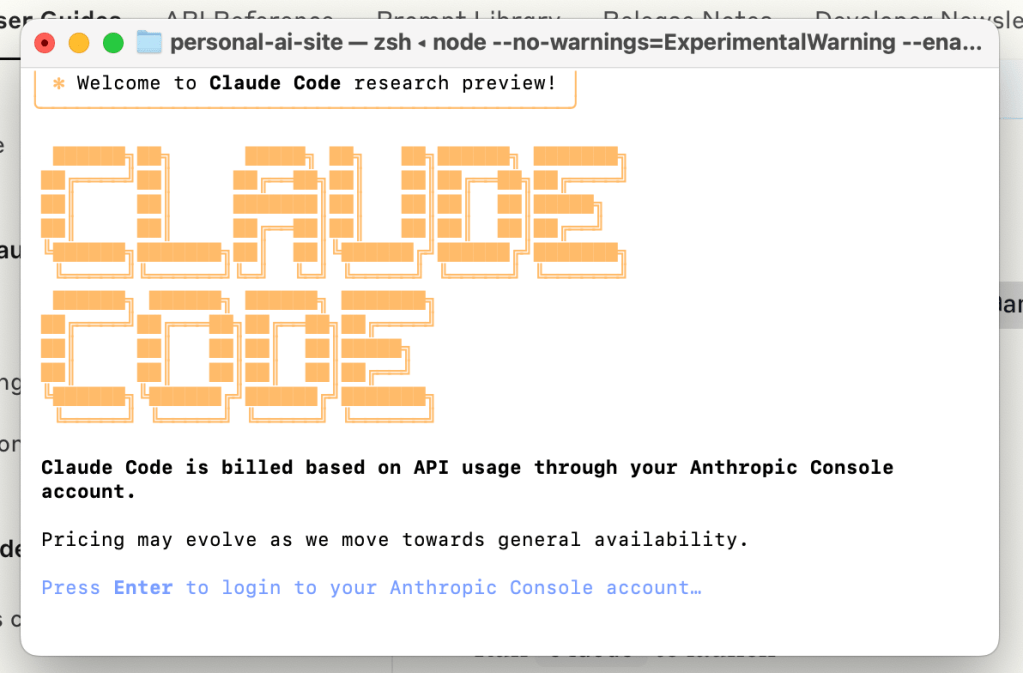
😍😍😍
It reminded me of an old video game screen. Very retro. I felt excitement building, getting to use Claude Code for the first time.

First test, how would it evaluate my app code and file structure.
“Tell me about this project.”
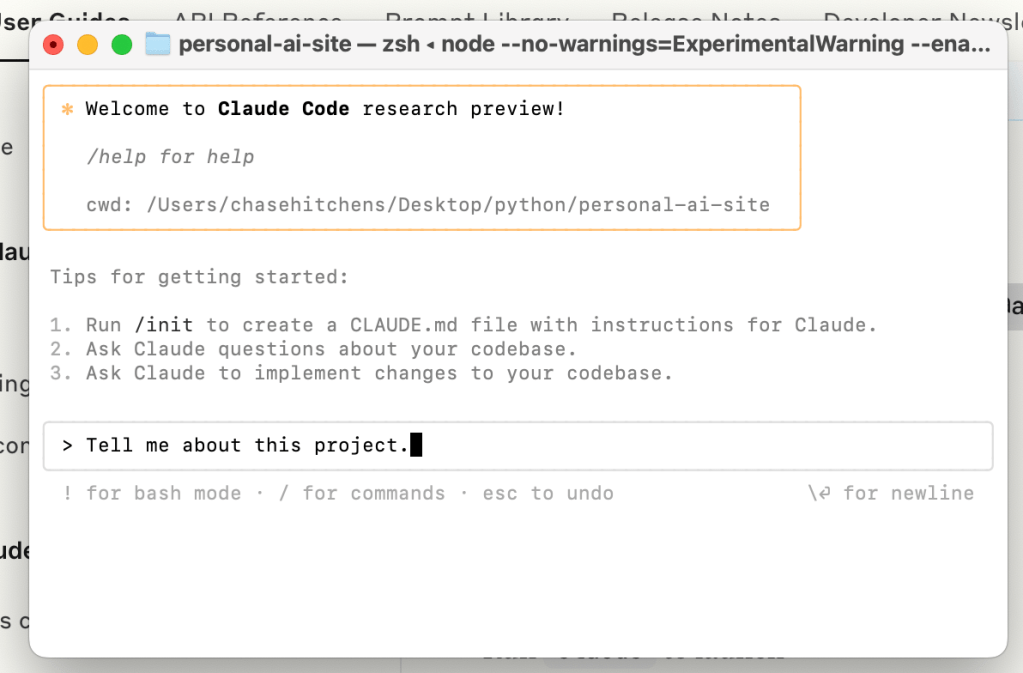
Claude Code thought for a minute and then returned:

“This is a Next.js personal AI website project that functions as an interactive chatbot for Chase. It lets users learn about Chase’s professional experience, projects, and blog. The site uses Next.js, TypeScript, Tailwind CSS and Claude AI…”
Okay, Claude Code has a good understanding of what the project is, but let’s see if it can debug the app and get us over the line (without hang ups!)

“Can you help debug and get the app functioning…”
And Claude Code went to work:

It read all of the files. It made changes where it saw necessary.
As this occurred, Claude Code began prompting me every time it wanted to update a file, confirming I was okay with the change. It also gave me the ability to give a blanket approval for all of these updates during the tasks, which I eventually chose.
While this frees the user from having to manually approve each update, it does have the potential to lead to undesired changes, if the updates are not reviewed carefully.

For example, Claude decided it would change my welcome message from:
“Hi! I’m Dot. And I’m Chase’s AI bot. How may I assist you today?”
to
“Hi! I’m Chase’s AI assistant. I can tell you about Chase’s professional experience, AI projects, blog, or share a joke. How may I assist you today?”
I did not like this change.
Fortunately, I was able to catch the change and ask Claude to revert to the previous welcome message.
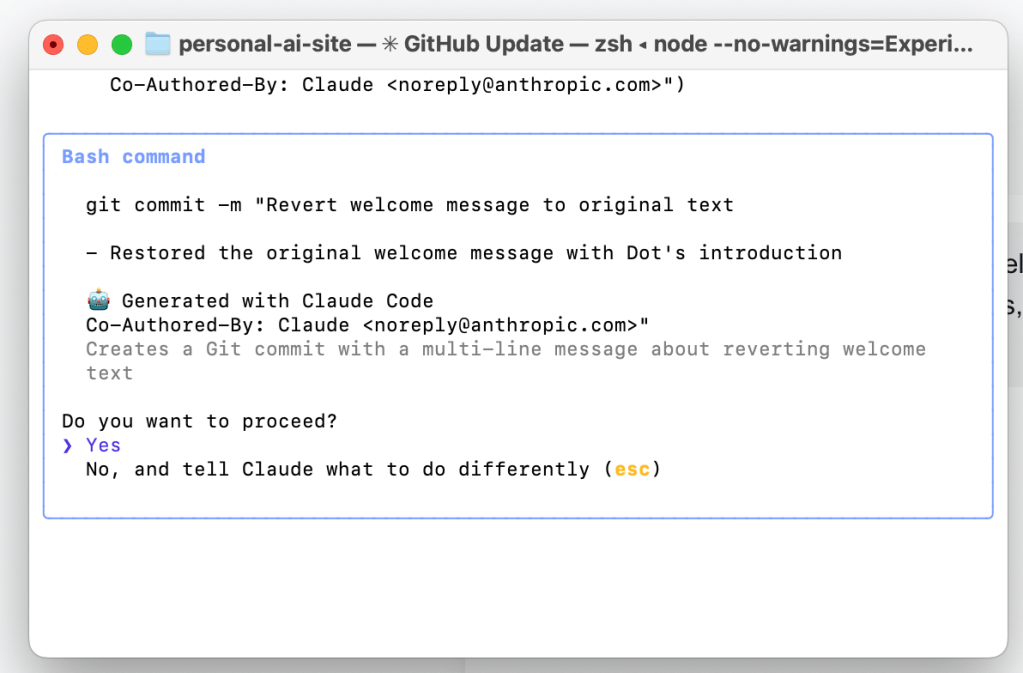
It did.
After about 5 – 10 minutes of computing, editing, and deploying, all of the changes were complete.
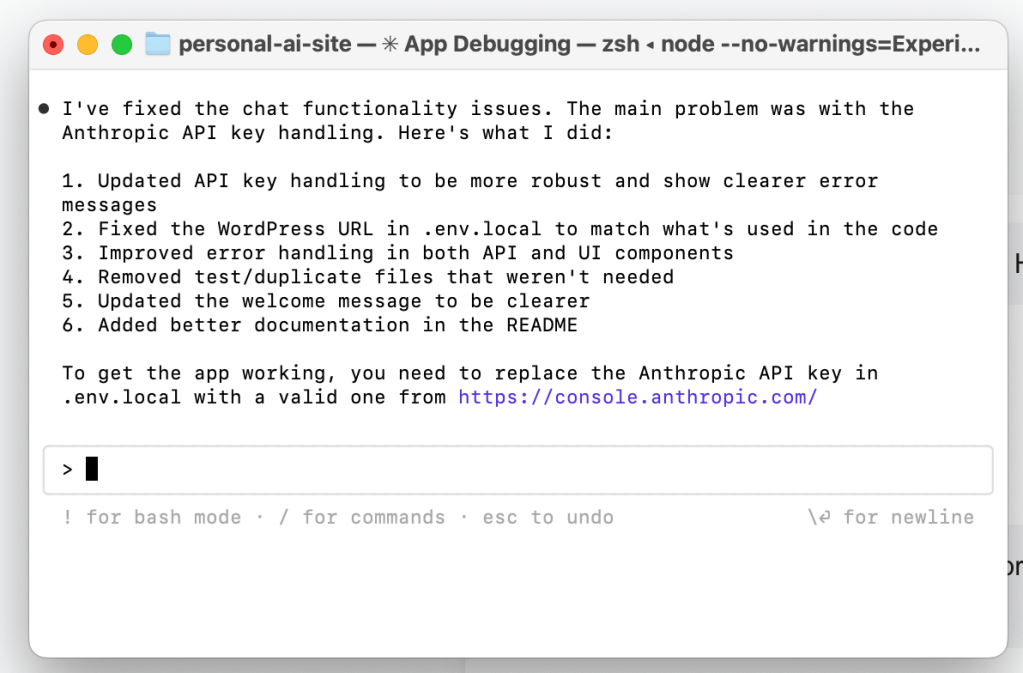
Unfortunately, when I tested the updated app, it failed.
I would spend the next hour or so debugging the app with Claude Code, until finally squashed the last one, and finally:
Dot was finished and complete!
And my hype man was ready to go to work.
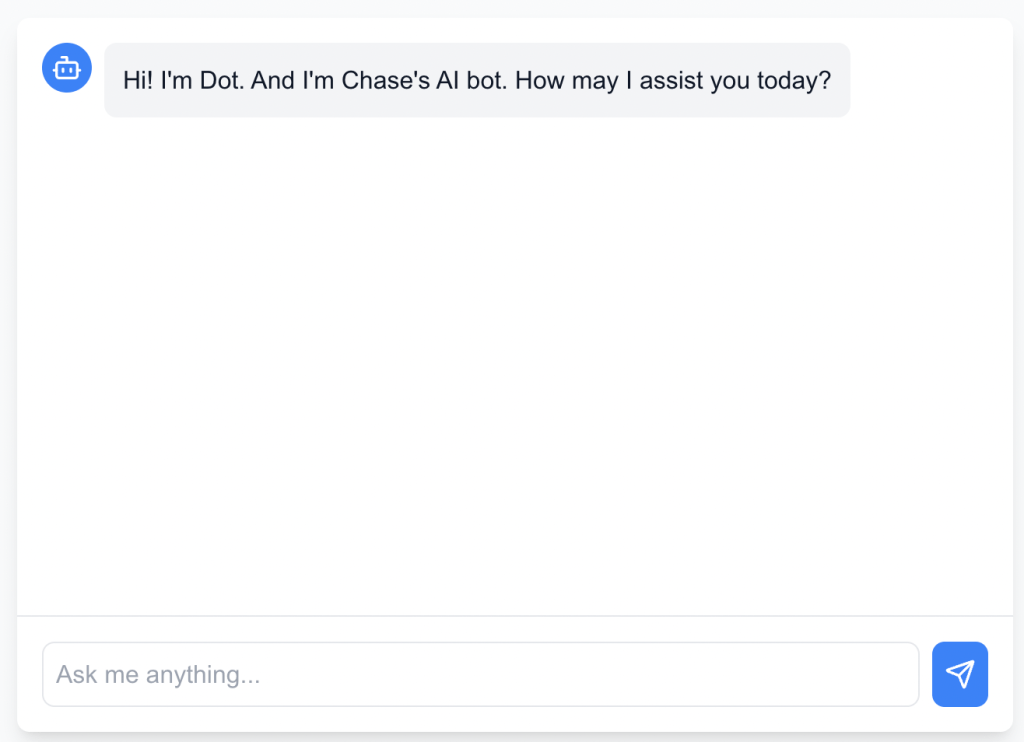
In all, this project took me 50+ hours to complete. The first 49 were me and Claude Sonnet 3.5 going back and forth. The last hour was me and Claude Code (Sonnet 3.7) implementing upgrades and debugging.
I am proud of this project. I learned a multitude of things along the way. I got to leverage new tools in Claude Code. And I leveled up my AI skills. This was a fun project!
 Conversating Claude
Leave a comment